Triage
When session audio breaks
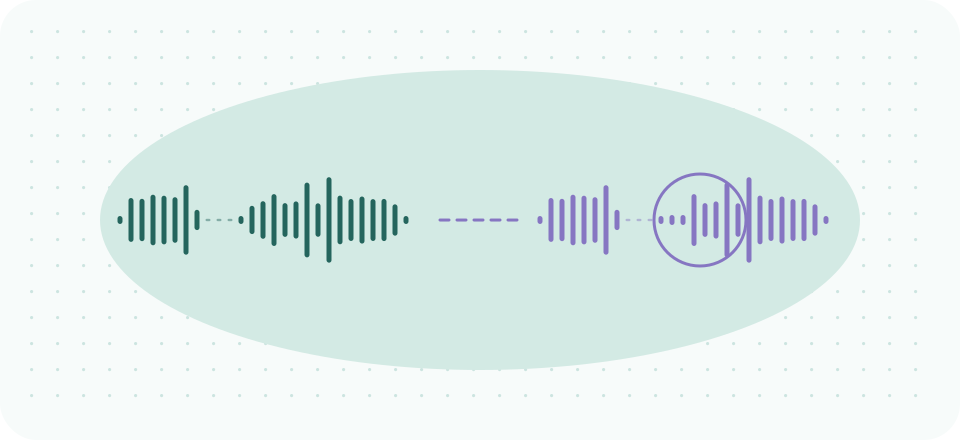
Audio problems in a session are two problems stacked: the technical fault, and the fifty-minute container it is eating. This page is organized around that reality. For each symptom, there is a mid-session move — the smallest intervention that keeps the hour alive — and a between-sessions fix, which is where the real repair belongs. Troubleshooting live at the top of an hour costs exactly the thing the hour is for.
Two ground rules first. One: agree on a failure protocol in advance — "if the call drops, I'll phone you at this number" converts a crisis into a procedure (our core guide covers the framing). Two: this page is platform-agnostic on purpose. Symptom-level fixes work everywhere; per-app settings tours are a different genre and not ours. As always: technology guidance, not medical or legal advice.
- Robot voice, garble, time-stretchingDrop video, keep talking.
- One-way audio: they can't hear youThe platform's mic indicator is your ten-second diagnostic.
- One-way audio: you can't hear themYour side — flip your output device back to your earbuds.
- Clipped first words after silencesNothing.
- Echo and hearing yourself backEarbuds.
- The chime that lands mid-disclosureOne keystroke to your OS focus mode, apology optional; recovering visibly is its own kind of modeling.
The first line of each mid-session move below. The real repair happens between sessions.
Robot voice, garble, time-stretching
What it is: the connection, essentially always. Voice codecs conceal small packet losses; when loss gets heavy, concealment itself becomes audible — the underwater warble, the syllables that smear. No microphone or suppression setting causes this, and none cures it.
Mid-session: drop video, keep talking. Cameras off returns bandwidth to voice, and platforms recover audio within seconds. If it persists, take the pre-agreed fallback (phone) rather than spending minutes on "can you hear me now."
Between sessions: whoever's side warbled needs a steadier pipe — wired over Wi-Fi, closer to the router, background sync paused during clinical hours. If it is chronically the client's side, the audio-first expectations in the core guide belong in your onboarding note.
One-way audio: they can't hear you
What it is: almost always device selection or permission, not hardware failure. After OS or browser updates, the platform quietly reverts to a different microphone, or the browser loses its mic permission; you speak into a microphone nobody is listening to.
Mid-session: the platform's mic indicator is your ten-second diagnostic. No level movement when you speak → check the input device the platform has selected, switch it, done. Still nothing → rejoin the call before deeper surgery; a fresh join renegotiates permissions and fixes an embarrassing share of cases.
Between sessions: this symptom is why device selection is line one of the pre-session checklist. If you run a virtual-mic layer like Krisp, know your chain: the platform should point at the virtual mic and the virtual mic at your physical one — after updates, either link can revert, so check both ends.
One-way audio: you can't hear them
What it is: the same fault in mirror — their mic, or your output device. Distinguish in five seconds: if the platform shows their level meter moving, the audio is arriving and dying on your side (output routed to a device you're not wearing); a still meter means it never left their end.
Mid-session: your side — flip your output device back to your earbuds. Their side — the chat channel is the tool: "I can't hear you — check your mic's selected in the call" in text keeps the session from becoming a pantomime.
Between sessions: clients on browsers hit permission revocation constantly. One line in your appointment reminder — "if we can't hear each other, refresh and allow the microphone" — quietly pre-solves the most common client-side fault.
Their level meter, on your screen
Moving
The audio is arriving and dying on your side — output routed to a device you’re not wearing.
Still
It never left their end.
Clipped first words after silences
What it is: the session-specific failure. A processing stage — noise gate, aggressive suppression, sometimes stacked layers of both — decides during a long pause that the channel is idle, and swallows the first syllable when speech resumes. Sessions, being full of meaningful pauses, hit this harder than any meeting does.
Mid-session: nothing. It is subtle, and drawing attention to it costs more than it saves. Note it and move on.
Between sessions: count your processing layers. Platform suppression plus a dedicated layer plus a mic vendor's own "enhancement" is two too many; every layer adds its own wake-up latency. Pick one good stage — our reasoning about which lives in the core guide's suppression section — and disable the rest. If a soft-spoken client is the one being clipped, the stack processing their incoming audio deserves the same audit.
Platform suppression
A dedicated layer
A mic vendor’s own “enhancement”
Three stages is two too many; every layer adds its own wake-up latency. Keep one good stage — which one is the core guide’s call, and yours.
Echo and hearing yourself back
What it is: someone's speaker output re-entering someone's microphone — the classic sign is that the person who hears the echo is not the one causing it. It has a whole literature of its own; the session-relevant summary is one line.
Mid-session: earbuds. Whichever side can put them on kills the loop, because a sealed ear feeds nothing back to the mic. This is one more argument for the client-audio-on-earbuds habit that the home-privacy guide insists on for confidentiality reasons — the habits reinforce each other.
Between sessions: if one participant chronically triggers it, that side is running open speakers near a hot mic; the onboarding earbud suggestion earns its sentence.
The chime that lands mid-disclosure
What it is: not a fault — a default. Notification audio mixes into what your client hears and lands on the room's atmosphere at the worst moments, and suppression layers correctly treat it as system audio, not noise, so nothing filters it for you.
Mid-session: one keystroke to your OS focus mode, apology optional; recovering visibly is its own kind of modeling.
Between sessions: automate it. Every OS can now schedule do-not-disturb; bind it to your clinical hours and this symptom retires permanently. It is line three of the checklist until then.
The pattern under all of it
Every symptom above has the same shape: a small deterministic cause, a smallest-possible live move, and a durable fix that belongs between hours. Which is the argument for the two-minute pre-session check — nearly everything on this page is cheaper to prevent than to triage with a client watching.
Fewer layers, better behaved
If your between-sessions audit ends with "one good suppression stage," Krisp is the one we'd make it: on-device processing, works identically across every platform on the landscape. Checked 2026-09-20: 7-day free trial; Core $8/month billed annually, $16 monthly.
A referral link, said plainly: if a Krisp subscription starts from this button, Krisp may pay SessionSound, and what you pay stays the same. Every mid-session move on this page is free, and the between-sessions fixes mostly are too.