The routine
The two-minute pre-session audio check
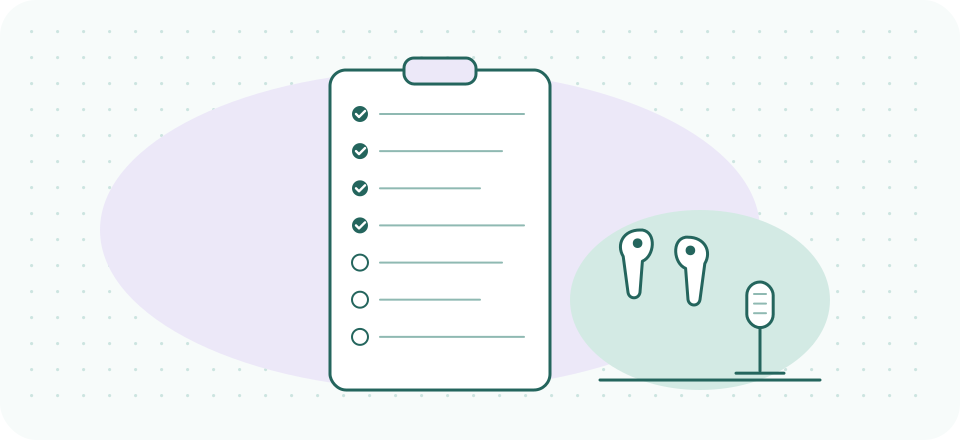
Pilots with thousands of hours still run the walkaround, and not because they expect to find something — because the checklist is what makes not-finding-something trustworthy. Session audio deserves the same discipline at a fraction of the effort: the seven checks below take about two minutes at the start of a clinical day, and the abbreviated three-item version between clients takes fifteen seconds. Everything here exists because its absence shows up in the triage page — this list is that page, run in reverse, before anyone is watching.
The list is deliberately platform-agnostic and gear-agnostic: it references whatever microphone, earbuds, and telehealth platform you already use. Print styles are built in — this page prints clean on one sheet.
- Start of the clinical daythe daily seven — about two minutes
- Between clientsthree of them — fifteen seconds
- Monthlyre-calibrate the masking — five minutes with a colleague
- Once, then after any changelisten to yourself
The daily seven
- The platform is listening to the right microphone. Open your platform's audio settings and read the selected input aloud to yourself. After any OS, browser, or app update, assume it reverted. If you run a virtual-mic layer (Krisp or similar), verify both links: platform → virtual mic, virtual mic → physical mic. This single check prevents the most common one-way-audio fault there is.
- Speak a sentence, watch the meter. Every platform shows an input level. Say a real sentence at your actual session volume — not "test test" at reading volume — and confirm the meter lives in the healthy middle: moving visibly, never slamming the top. A meter that only flickers means your mic is too far away; go back to the 30 cm rule in the core guide.
- Focus mode on, for the whole block. Notifications are the one audio failure that is entirely self-inflicted. Turn on your OS do-not-disturb — better, schedule it against your clinical hours once and strike this line forever.
- Client audio routed to earbuds. Confirm the platform's output points at what's in your ears, not the room's speakers. This is a privacy check as much as an audio one — the reasoning is in the home sound-privacy guide — and it also happens to prevent most echo you would otherwise cause.
- The connection is boring. Close whatever moves data in bulk: cloud sync, backups, someone's stream on your network if you can negotiate it. If your setup allows wired, be wired. You are not chasing speed — you are chasing steadiness.
- The masking is on and at its level. If your practice runs a noise source outside the door — office corridor or home hallway — confirm it started with the day and sits at its calibrated level, per the masking guide. A masking unit that quietly died is invisible from inside the room.
- One suppression layer, and you know which. Confirm your chosen noise-suppression stage is on — and that it is the only one. Platform suppression stacked on a dedicated layer causes the clipped-first-syllable artifact that sessions, with all their silences, expose mercilessly.
The fifteen-second version, between clients
Mid-day, the full seven is overkill; three survive: meter moves (say one sentence, watch it), focus mode still on (calendar handoffs love to reset it), earbuds still the output (unplugging to stretch re-routes audio to speakers on some systems, silently). Fifteen seconds, and the next hour starts clean.
- 2meter moves
- 3focus mode still on
- 4earbuds still the output
Lines 2, 3 and 4 of the daily seven — the ones a calendar handoff or a stretch break can quietly undo.
The monthly line, and the one you only run once
Two checks sit outside the daily rhythm because their failure modes are slow rather than sudden.
Monthly: re-calibrate the masking. A noise source outside the door drifts — someone nudges the volume, a unit gets moved during a clean, a new neighbour changes what the corridor sounds like. Five minutes with a colleague speaking inside the room at session volume, you sitting where a waiting client sits, re-establishes the level, per the masking guide. Nothing about the room tells you this has slipped, which is precisely why it needs a date rather than a feeling.
Once, and then after any change: listen to yourself. The daily seven confirm your setup is behaving as configured. They cannot tell you whether the configuration was any good, because every one of them is a check you run from inside your own head — and you are the one person who never hears your outgoing audio. Recording a couple of minutes through your real chain and listening back on earbuds is the only way to close that loop; we walk through what to listen for in what your client actually hears. Do it once properly, then again only when the room, the machine, or the microphone changes.
Why a checklist and not vigilance
Because vigilance is exactly the resource a clinical day spends down. The value of a fixed list is that it works at 4 p.m. as well as at 9 a.m., asks nothing of judgment, and converts audio from a live variable into settled infrastructure. A practice with few audio incidents is not usually the work of a great troubleshooter — it is a setup that has been identical for so long that troubleshooting has nothing to grip. Boring is the goal. This page is the maintenance schedule for boring.
Standing note: this checklist is technology routine, not clinical procedure — adapt it to your practice, and nothing on this page is medical, legal, or compliance advice.
Line 7, solved once
If your one suppression layer is still undecided, our pick for telehealth is Krisp — on-device processing, platform-agnostic, and the trial is long enough to run this checklist against a full client week. Checked 2026-09-20: 7 days free, then Core at $8/month billed annually or $16 monthly.
Settle line 7 with the free trial
A referral link, said plainly: if a Krisp subscription starts from this button, Krisp may pay SessionSound, and what you pay stays the same. Lines 1–6 are free forever, and line 7's zero-cost answer — your platform's built-in suppression — is a fine one in a quiet room.