The landscape
What telehealth platforms do about audio
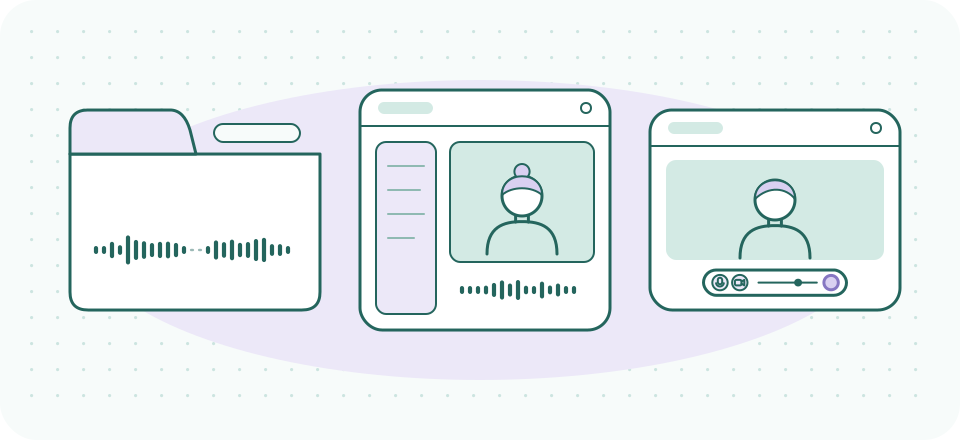
Choosing a telehealth platform is mostly a compliance, workflow, and cost decision — and plenty of good writing exists on those axes. This page covers the axis that gets skipped: what each platform actually does to your session's sound, and what it publishes about where that sound goes. We looked at the three names that dominate private-practice telehealth, plus the structural choice that shapes all of them — browser versus installed app.
How to read the compliance language on this page. Where a platform says "HIPAA-compliant" or offers a BAA, that is the vendor's published claim, reported here with the date we read it. SessionSound does not certify anyone's compliance, and no tool makes a practice compliant by itself — configuration, agreements, and workflow all count. Verify with your compliance counsel. Nothing here is medical, legal, or compliance advice.
- Doxy.meShapeBrowser-only telemedicineAudio stackBrowser WebRTC processing; no installs
- SimplePractice TelehealthShapeTelehealth inside an EHR/practice suiteAudio stackIntegrated suite stack; few published audio internals
- Zoom Workplace for HealthcareShapeGeneral meeting platform, healthcare arrangementAudio stackInstalled app; mature suppression & echo cancellation, user-adjustable
From the side-by-side table on this page, read on 2026-09-20. Vendor claims as published — not a certification.
Doxy.me — the browser-first specialist
Doxy.me is telemedicine-only: no practice management suite, no ambitions beyond the visit itself. Everything runs in the browser — no downloads for the client, which for audio purposes means the call rides on the browser's WebRTC stack: echo cancellation, automatic gain, and baseline noise suppression come from the browser itself, applied before Doxy.me sees the stream.
As of 2026-09-20, Doxy.me's homepage carries the badge set "HIPAA-compliant," "Free BAA," "SOC 2-certified," "End-to-end encrypted," "GDPR-compliant," and "CPRA-compliant," alongside "No downloads," and it offers a genuinely free tier for individual providers. Those are Doxy.me's claims, quoted as published — a badge is a marketing artifact, not a verification, and the one on the list worth asking your counsel about is what "end-to-end encrypted" means in a browser session with more than two participants. The practical audio implications of the browser-first design cut both ways:
- Upside: zero-install means the least technically confident client on your caseload can join. The fastest fix for a Doxy.me audio problem is often just "try a different browser," since the browser owns the audio path.
- Downside: you inherit the browser's audio processing — capable, but with fewer published controls than an installed app exposes, and behavior can shift when the browser updates. A tab is also easier to background accidentally than a dedicated app, and a backgrounded tab can be throttled.
Doxy.me works cleanly with a system-level suppression layer, since tools like Krisp present themselves to the browser as a microphone. We link Doxy.me directly — doxy.me — and have no affiliate relationship with them; the free tier is one of our standing zero-cost recommendations for solo practices starting out.
SimplePractice Telehealth — audio inside the EHR
SimplePractice bundles telehealth into its practice-management platform, so the video visit lives beside scheduling, notes, and billing. Read 2026-09-20: its telehealth feature page presents itself as "HIPAA-Compliant Telehealth," carries HIPAA, HITRUST, and PCI badges, and links to a BAA page; telehealth is a built-in feature rather than an add-on product you evaluate separately. Vendor claims, reported as published.
For sound specifically, the integration is the story. The convenience of client, chart, and call in one place is real, but the audio stack is the part of the bundle you can least configure independently — you get what the suite provides, tuned for typical rooms. In our reading of its published documentation, SimplePractice says comparatively little about its audio processing internals; its own FAQ acknowledges the question of sound and video quality mostly by pointing at connection quality. Translation for practice: with an integrated platform, the levers that remain yours are the ones in our core guide — connection, microphone distance, machine hygiene — plus a system-level suppression layer if your room demands it. We have no affiliate relationship with SimplePractice; their telehealth feature page is at simplepractice.com.
Zoom's healthcare offering — meeting-grade audio, gated BAA
Zoom's healthcare product line — currently sold as Zoom Workplace for Healthcare — exists precisely because standard Zoom accounts were never the right vehicle for clinical conversations. Here is exactly what Zoom's own HIPAA compliance page said on 2026-09-20: "Zoom helps customers enable HIPAA compliant programs by executing a Business Associate Agreement (BAA) and safeguarding protected health information (PHI)." It states that Zoom "aligns its controls to the Healthcare Industry Trust Alliance Common Security Framework (HITRUST CSF)" and offers a SOC 2 + HITRUST report to healthcare customers seeking assurance.
Note what that page does not say, because this is where secondary write-ups overreach and we are not going to join them: Zoom's compliance page does not itself enumerate which subscription plans are eligible for a BAA. Third-party guides confidently list qualifying tiers and they do not agree with each other. The two things that are safe to carry away are structural rather than tier-specific — a BAA has to be executed as a separate step rather than arriving automatically with a subscription, and a plan that has no BAA in place is outside the arrangement no matter how the call is configured. Which plan qualifies for your practice is a question for Zoom's sales or admin process and your counsel, in writing. Not for us, and not for a comparison table.
What Zoom brings to the audio question is the most mature processing stack of the three — the same background-noise suppression and echo cancellation machinery developed for its meeting products, with more user-adjustable audio behavior than either browser-based rival. We deliberately stop short of a settings walkthrough: general-purpose Zoom guidance is a different genre, done at length elsewhere. Our observation is scoped to the lane: if a client base with chaotic environments is your reality, Zoom's incoming-audio handling is a real asset — and the trade-off is that the platform is not therapy-shaped out of the box. Waiting-room behavior, session boundaries, and the surrounding workflow all take configuration that the telehealth-native platforms treat as defaults.
Side by side
| Platform | Shape | Audio stack | BAA (vendor's published position) | Cost of entry |
|---|---|---|---|---|
| Doxy.me | Browser-only telemedicine | Browser WebRTC processing; no installs | "Free BAA" stated on homepage | Free tier for individual providers |
| SimplePractice Telehealth | Telehealth inside an EHR/practice suite | Integrated suite stack; few published audio internals | Dedicated BAA page linked from its telehealth feature page | Paid suite subscription (trial available) |
| Zoom Workplace for Healthcare | General meeting platform, healthcare arrangement | Installed app; mature suppression & echo cancellation, user-adjustable | States it executes BAAs; its compliance page does not enumerate eligible plans — confirm with Zoom | Paid plan plus a separately executed BAA |
The honest summary
None of the three is "best at audio" in a way that survives contact with real rooms. Doxy.me minimizes client friction and hands audio to the browser. SimplePractice makes audio one strand of a workflow decision. Zoom brings the strongest processing and the most gates to clear. The audio differences between them are real but smaller than the difference between a bad microphone position and a good one — which is why the platform's own processing is step four in our order of operations, not step one.
And whichever platform carries the session, a suppression layer that runs on your own machine travels with you if you switch. That portability argument, plus what it means for confidentiality that the processing happens on-device, is covered in Krisp for telehealth providers and where your session audio goes.
- Your microphone
- A suppression layer on your own machinetravels with you if you switch
- Doxy.me
- SimplePractice Telehealth
- Zoom Workplace for Healthcare
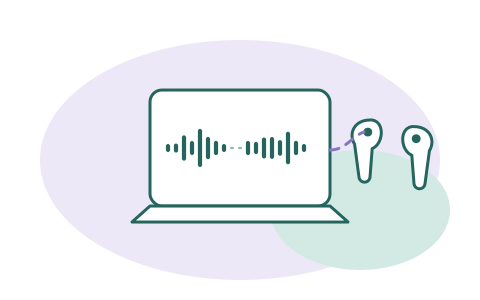
The layer that works on all three
Krisp sits between your microphone and whichever platform you use — Doxy.me tab, SimplePractice suite, or Zoom app — and does its noise-suppression processing on your device. 7-day free trial; Core at $8/month billed annually or $16 monthly (checked 2026-09-20).
A referral link, said plainly: if a Krisp subscription starts from this button, Krisp may pay SessionSound, and what you pay stays the same. The recommendations above that pay us nothing: Doxy.me's free tier, and every platform's built-in processing.